Would you like to learn more about SuperLab?
Would you like to order SuperLab?
Use the button below to email us.

Would you like to learn more about SuperLab?
Would you like to order SuperLab?
Use the button below to email us.
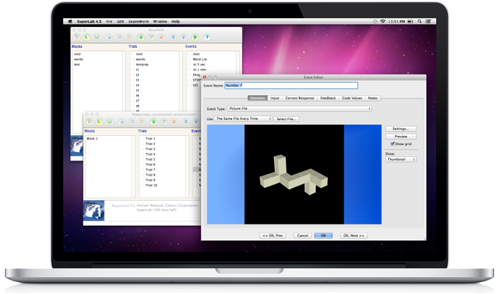
SuperLab is designed for researchers. With SuperLab, you can build the experiment you need with just a few mouse clicks.
The SuperLab website provides downloadable experiment files used in published, widely cited research. These include the classic Stroop task and many experiments involving attention, perception, and memory, all available as free downloads with accompanying lab books. Learn more ▸
Users who purchase a SuperLab license through BRnC receive a comprehensive Korean-language manual.
All features below are supported on both macOS and Windows, although some file formats may be platform-specific.
 |
Picture FilesSupports most image formats, including JPG, PNG, and BMP. |
 |
MoviesPlay one video or multiple videos simultaneously. |
 |
RSVP (Rapid Serial Visual Presentation)Create RSVP experiments with text stimuli in just a few clicks. |
 |
Self-Paced ReadingPresent text stimuli sequentially, segmented by syllable. |
 |
TextUse many writing systems, including Korean, Chinese characters, Hiragana, and Katakana. |
 |
Sound FilesPlay sounds for individual trials or continuously throughout an experiment. |
 |
Digital OutputSend event codes through StimTracker or another I/O card for more efficient EEG, ERP, and fMRI experiments. |
 |
Serial OutputControl other equipment through a serial port. |
Additional features help make experimental design more efficient.
Randomization In addition to trial randomization, you can randomize the following properties:
E-Prime | The Lumina controller can emulate PST’s Serial Response Box.
Looping Repeat trials until a specified condition is met, making memory and learning experiments easier to create.
Easy Conditional Branching No programming is required; create if/then/else flows with mouse clicks.
Go/No-Go Experiments | A built-in option can treat a participant’s non-response as correct, simplifying Go/No-Go experiments.
Participant Groups Show specific blocks or trials to each group, or use identically randomized stimulus sequences across groups.
Stimulus Lists Manage image, video, sound, and text stimuli through lists to simplify experiment creation.
Experiment Packaging Save an experiment and all of its stimulus files in a single archive.
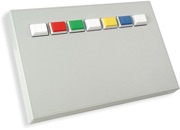
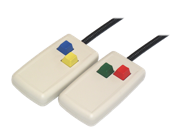
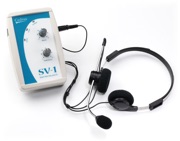
Supports a wide range of input hardware, from standard keyboards and mice to voice input, high-precision response pads, and MRI-compatible response devices.

SuperLab saves participant responses and reaction times in tab-delimited text files. Results can be imported easily into applications such as Excel. The free Cedrus Data Viewer included with SuperLab lets you preview data and perform basic statistical analyses without opening another application: